Many users get confused about the difference between Firestick and Roku when buying a streaming device.
At first glance, both look similar they plug into your TV and stream apps like Netflix or YouTube. But the real experience is quite different.
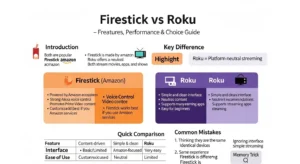
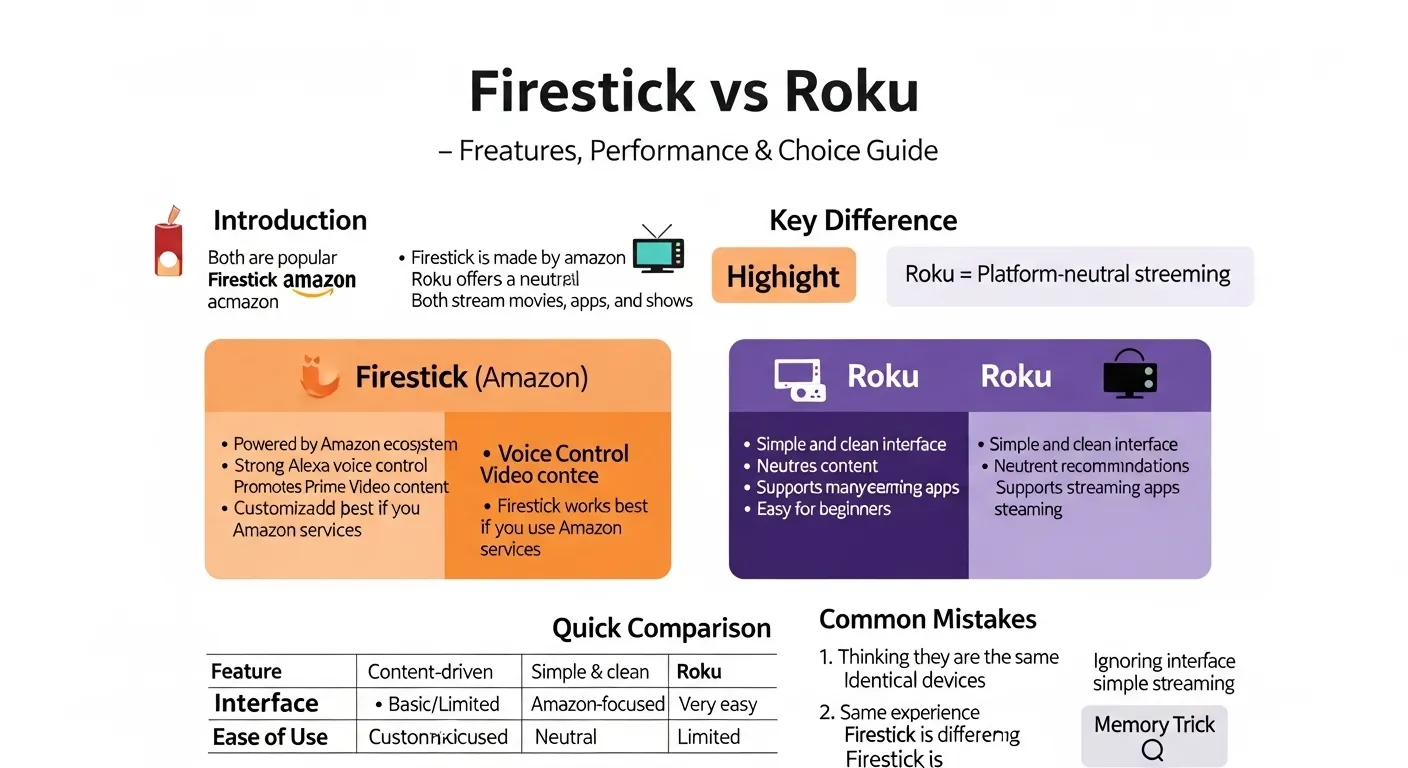
In simple words, the difference between Firestick and Roku comes down to ecosystem, interface, content discovery, and control features.
The Amazon Fire TV Stick is deeply connected to Amazon services and smart features, while the Roku Streaming Stick focuses on simplicity and neutrality.
If you’re searching “what is the difference between Firestick and Roku?”, “which is better?”, or “which one should I buy in 2026?”, this guide gives you a complete, expert level answer without confusion.
🟢 Quick Answer: Difference Between Firestick and Roku
- Firestick → Best for smart features, Alexa voice control, and Amazon users
- Roku → Best for simple interface and unbiased content experience
👉 Example:
If you mostly watch Amazon Prime Video → Firestick
If you want easy navigation for family use → Roku
🟢 Definition of Firestick and Roku
- Amazon Fire TV Stick: A compact streaming device that connects to your TV and offers apps, voice control (Alexa), and Amazon ecosystem integration.
- Roku Streaming Stick: A streaming device designed for easy access to apps and channels with a simple, user friendly interface and minimal bias toward any service.
🟢 Pronunciation
- Firestick: /ˈfaɪər.stɪk/
- Roku: /ˈroʊkuː/ (US), /ˈrəʊkuː/ (UK)
👉 Now that the basics are clear, let’s understand the real differences that matter in daily use.
🟢 Comparison Table: Firestick vs Roku
| Feature | Firestick | Roku | Similarity |
| Company | Amazon ecosystem | Independent platform | Streaming devices |
| Interface | Content driven UI | Simple grid layout | Easy navigation |
| Voice Control | Alexa built in | Basic/limited | Remote included |
| App Availability | Very high | Very high | Netflix, YouTube, Disney+ |
| Setup | Easy | Very easy | Plug & play |
| Price | Budget to mid range | Budget to mid range | Affordable |
🟢 Key Differences Explained Between Firestick and Roku
1. Interface Design (User Experience)
Firestick shows personalized content, ads, and recommendations. Roku keeps everything simple and clean.
👉 Example:
A beginner user often prefers Roku because it feels less cluttered.
2. Ecosystem & Integration
Firestick is tightly connected with Amazon services like Prime Video and Alexa devices. Roku is platform neutral.
👉 Insight:
If you use Amazon products already, Firestick feels more connected.
3. Voice Control Power
Firestick supports Alexa voice commands for searching, controlling TV, and even smart home devices. Roku’s voice features are limited.
👉 Real world use:
“Play action movies” works better on Firestick.
4. Content Recommendations
Firestick promotes Amazon content more. Roku offers a more balanced display across apps.
5. Remote Features
Firestick remotes usually include voice, power, and volume controls. Roku remotes are simpler but easier for non tech users.
6. Performance & Speed
Both devices are fast, especially newer models (2026 versions). Differences are minimal unless comparing high end models.
7. Ads & Promotions
Firestick shows more promotional content. Roku also has ads, but they are less aggressive.
🟢 What Is the Core Difference Between Firestick and Roku?
The core difference between Firestick and Roku is philosophy:
- Amazon wants to guide your content choices
- Roku Inc. lets you choose freely
👉 This changes your entire viewing experience.
🟢 How Does Firestick Work vs Roku?
Firestick
- Runs on Fire OS (Android based)
- Uses cloud based recommendations
- Integrates Alexa for voice
Roku
- Uses Roku OS
- Focuses on channel based navigation
- Keeps interface lightweight
👉 Both connect via HDMI and internet.
🟢 Apps and Streaming Support
Both support major platforms:
- Netflix
- YouTube
- Disney+
- Amazon Prime Video
👉 So app availability is not a deciding factor anymore.
🟢 Difference and Similarity Table: Firestick vs Roku
| Feature | Firestick | Roku | Similarity |
| User Experience | Smart, personalized | Simple, clean | Easy to use |
| Learning Curve | Slightly higher | Very low | Beginner friendly |
| Ecosystem | Amazon focused | Neutral | Works with apps |
| Voice Control | Advanced (Alexa) | Basic | Remote control |
| Ads Style | More targeted | More general | Both have ads |
| Best For | Tech users | Beginners | Home streaming |
This table clearly shows the difference and similarity between Firestick and Roku for quick understanding.
🟢 Common Mistakes with Firestick and Roku
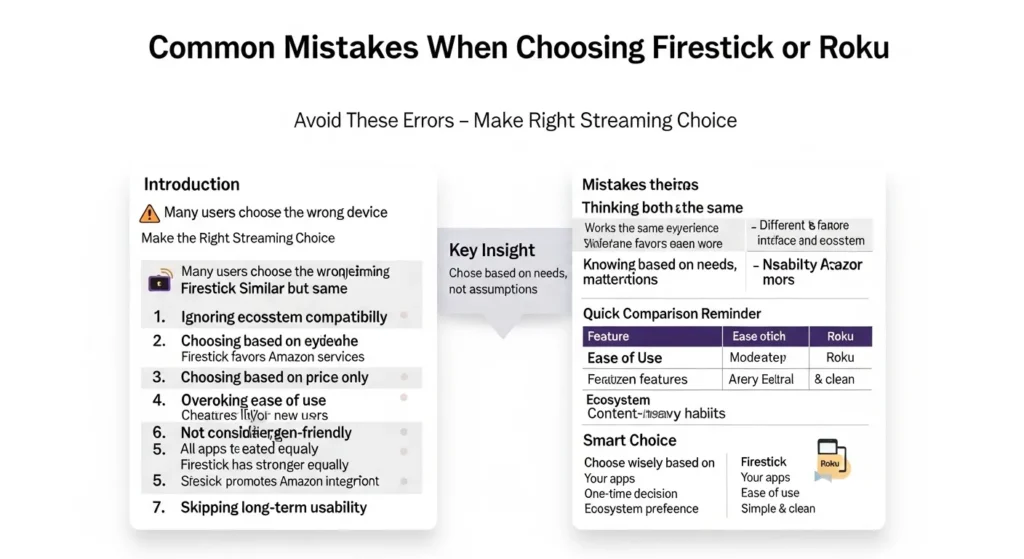
❌ 1. Thinking they are identical
✔ They serve different user types
❌ 2. Ignoring ecosystem preference
✔ Firestick works best with Amazon users
❌ 3. Overlooking interface comfort
✔ Roku is easier for families and elders
❌ 4. Choosing only based on price
✔ Features matter more than small price gaps
❌ 5. Assuming more apps = better device
✔ Both already support major apps
🟢 Real Life Examples with Firestick and Roku
📌 Personal Use
A student uses Roku because it’s simple and quick to navigate.
📌 Family Use
Parents prefer Roku because kids can easily find apps.
📌 Tech Enthusiast
A smart home user chooses Firestick for Alexa control.
📌 Business Use (Hotels/Airbnb)
Roku is often used because guests find it easier.
🟢 When to Use Each
✅ Choose Firestick if:
- You use Alexa or smart home devices
- You watch a lot of Prime Video
- You want voice commands
✅ Choose Roku if:
- You want a clean, simple interface
- You don’t want platform bias
- You prefer easy setup and navigation
🟢 Why People Get Confused
The confusion around the difference between Firestick and Roku happens because:
- Both look physically similar
- Same purpose (streaming)
- Similar pricing
- Same apps available
👉 But the experience is what truly differs.
🟢 How Search Engines Understand Firestick vs Roku
Search engines like Google treat this as a comparison + buying intent query.
They prioritize:
- Clear tables
- Real examples
- User focused answers
- Fast readability
Platforms like YouTube also influence decisions through reviews, which is why detailed guides perform better in rankings.
🟢 Expert Insight
In real scenarios, there is no universal “best” device. It depends on user behavior.
- Beginners → choose Roku
- Power users → choose Firestick
From a tech perspective, Firestick is more feature rich, but Roku wins in usability.
👉 This is why many households actually use both.
🟢 FAQ:
1. What is the main difference between Firestick and Roku?
Firestick is Amazon focused; Roku is neutral and simpler.
2. Which is better for beginners?
Roku is easier to use.
3. Does Firestick have more apps than Roku?
No, both offer similar apps.
4. Is Roku faster than Firestick?
Performance is very similar in modern devices.
5. Which is better for voice control?
Firestick with Alexa is better.
6. Can I use both on one TV?
Yes, you can switch between HDMI ports.
7. Which is better for smart homes?
Firestick integrates better with smart devices.
🟢 Conclusion
Understanding the difference between Firestick and Roku helps you make a smarter buying decision.
While Firestick offers advanced features, voice control, and deep integration with Amazon services, Roku provides a clean, simple, and beginner friendly experience.
Both devices are excellent in 2026. The real choice depends on your lifestyle, comfort level, and preferences.
If you value simplicity, go with Roku. If you want smarter control and deeper features, Firestick is the better option.
In the end, the difference between Firestick and Roku is not about which is better it’s about which is better for you.
Discover More Articals!
Difference Between Endothermic and Exothermic (With Examples)
Difference Between Champagne and Prosecco (With Examples)

James Whitmore. Labdiff.com is my english grammar comparision website. I explore the history and evolution of English words. I write detailed comparisons explaining why spellings change over time and how British and American English diverged. My articles add depth and credibility to grammar comparison topics.